

 See My Latest Article on HelloNation
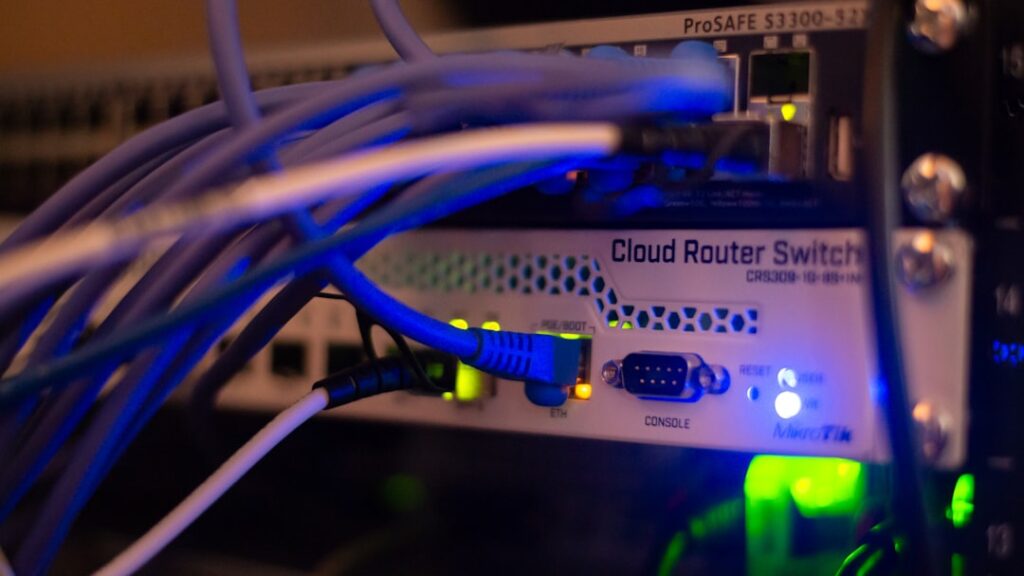
What Is the Core Difference Between Wi-Fi and Ethernet?
The fundamental difference between Wi-Fi and Ethernet is how devices connect to the internet or a local network: Wi-Fi is wireless, while Ethernet uses a physical cable. This impacts speed, reliability, and flexibility for local residents deciding how to set up their home networks.
Wi-Fi sends data using radio waves, letting laptops, phones, and smart devices connect anywhere within the signal’s range. Ethernet requires plugging a cable into both the device and the router or modem, providing a direct physical connection. Each has advantages, depending on household needs, geography, and the age or structure of the dwelling.
Which Is Faster: Wi-Fi or Ethernet?
Ethernet almost always provides faster and more consistent speeds compared to Wi-Fi. Wired connections avoid the interference and signal loss that can occur with wireless networks, especially in homes with thick walls, large square footage, or multiple stories. For activities requiring steady, high-speed connections, such as gaming, video calls, or transferring large files, Ethernet is noticeably superior.
Wi-Fi speeds can approach Ethernet in ideal conditions (close to the router, minimal interference, modern equipment), but signal quality often drops as you move further away, go through walls, or add many devices. Frequent buffering during streaming or fluctuating speeds are common signs of Wi-Fi limitations in busy households or larger single-family homes.
How Does Wi-Fi Perform in Local Homes?
Wi-Fi offers unmistakable convenience, enabling phones, laptops, tablets, and smart home devices to connect anywhere within the router's range—whether that’s a backyard patio, kitchen, or garage workshop. For many Midland households, especially those with newer open-plan designs, Wi-Fi supplies enough speed and coverage for everyday needs like browsing, streaming, and casual remote work.
However, local factors can interfere with Wi-Fi quality:
- Concrete or brick walls, common in some ranch-style houses, can block or weaken signals.
- Wireless performance may drop in sprawling or multi-level homes unless range extenders, mesh systems, or extra access points are installed.
- Interference from microwaves, cordless phones, and even neighboring Wi-Fi networks can cause slower speeds or dead zones, especially in denser residential areas.
What Devices Benefit Most from Ethernet?
Devices that stay in one place and need uninterrupted, high-speed internet perform best with Ethernet. In Midland homes, this often includes:
- Desktop computers used for remote work, design, or online classes
- Game consoles and PCs for online gaming where lag is especially disruptive
- Smart TVs or streaming boxes near TVs that handle high-definition video
- Network storage devices used for backing up files or sharing media across the home
Ethernet is less convenient for mobile devices or anything that gets moved around regularly. It’s also less practical in rooms without existing network ports or where running cable would be unattractive or difficult.
Is Wi-Fi Secure Enough for Sensitive Tasks?
Both Wi-Fi and Ethernet can be secure if set up correctly. Ethernet is inherently more private because data travels only through physical cables, making it harder to intercept without direct access. Wi-Fi, by contrast, sends information over the air. If a home wireless network lacks a strong password and modern encryption (WPA2 or WPA3), neighbors or passersby could potentially gain unauthorized access.
Local families should:
- Set strong, unique passwords for Wi-Fi networks
- Update router firmware regularly to patch vulnerabilities
- Disable features like WPS, which can be exploited if left on

For extra privacy or when dealing with sensitive information (like tax, health, or work-from-home files), using Ethernet or a VPN adds another layer of security.
Which Is Better for Large or Older Homes?
In larger local homes, Wi-Fi signals often struggle to cover every corner, especially in brick or ranch-style layouts typical in some neighborhoods. Ethernet gives consistent, full-speed access wherever there’s a cable port, but retrofitting older buildings with new wiring can be costly and disruptive.
A blended approach frequently works best:
- Use Ethernet in rooms where steady, high-speed internet is essential
- Rely on Wi-Fi for convenience and for mobile devices
- Deploy Wi-Fi extenders, mesh networks, or additional access points to reach distant rooms or outbuildings if wiring isn’t an option
This hybrid setup helps area households get both reliability and flexibility, suiting a mix of activities and device types.
Do Weather or Power Outages Affect Wi-Fi or Ethernet Differently?
Neither Wi-Fi nor Ethernet is directly affected by the dry, windy, or occasionally stormy climate in the area. However, power outages or severe electrical surges—most common during strong thunderstorms—will interrupt both types of connections because routers and modems require electricity.
Power strips with surge protection can shield digital equipment, and uninterruptible power supplies (UPS) may keep routers online during short outages. Rare issues like lightning strikes can damage home networking gear, regardless of connection type.
Common Misconceptions Among Local Residents
Some area households believe Wi-Fi is always “slower” or that Ethernet is always “complicated.” In reality:
- Modern Wi-Fi (using current equipment and best practices) can be quite fast, especially for small households or in apartments with minimal interference.
- Setting up Ethernet can be as simple as plugging in a cable, provided there’s access to network ports or the router is nearby.
- For many households, both methods can be used together, optimizing for both convenience and performance.
Understanding these differences helps local residents choose the right setup for their unique floor plans, family habits, and internet activities.