

 See My Latest Article on HelloNation
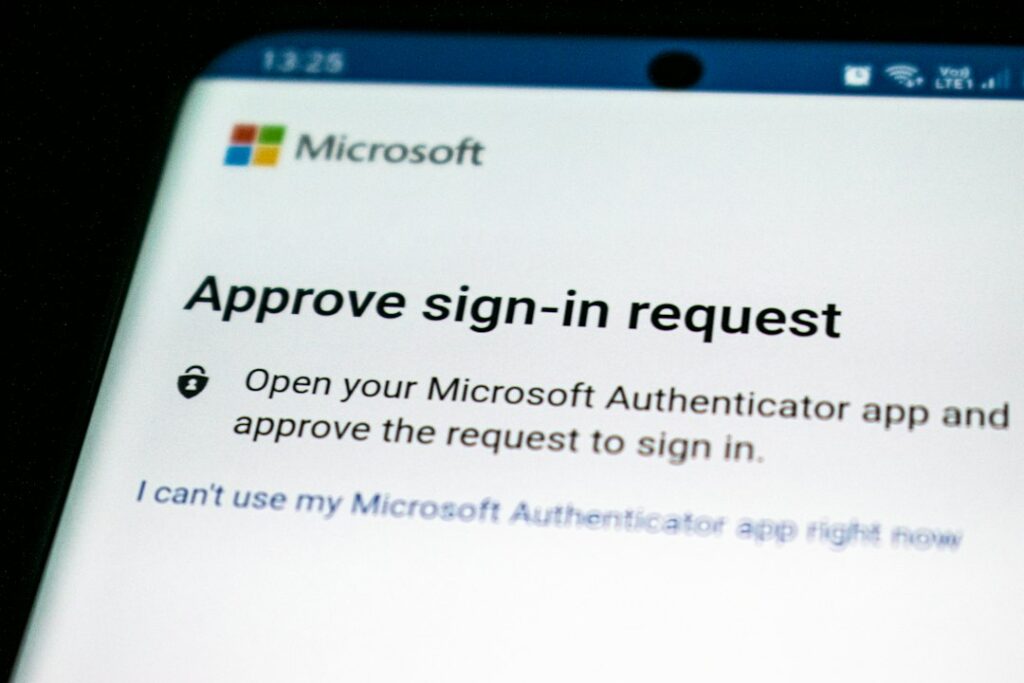
Two-factor authentication, often called 2FA, adds a second verification step after a password. For residents of Midland, TX, it can help protect email, banking, school, workplace, health, and social media accounts even if a password is exposed.
What is two-factor authentication?
Two-factor authentication requires two different types of proof before an account allows access. The first factor is usually something known, such as a password or personal identification number. The second factor is something connected to the account holder, such as a phone, security key, or biometric feature.
The main factor categories are:
- Something you know: A password, PIN, or security answer
- Something you have: A phone, authentication device, or physical security key
- Something you are: A fingerprint, facial scan, or other biometric characteristic
A password plus a code sent to a phone is an example of two-factor authentication. A password plus a fingerprint can also qualify.
Using two passwords does not usually count as true two-factor authentication because both pieces of information belong to the same category: something you know.
Why does 2FA matter if a password is already strong?
A strong password can still be stolen, guessed through reused credentials, captured in a phishing attack, or exposed during a data breach. Two-factor authentication creates another barrier between a stolen password and an account.
For example, suppose someone obtains the password for an email account. Without 2FA, the password may be enough to sign in. With 2FA enabled, the person would also need the second factor, such as an approval on a trusted phone or a code from an authentication app.
Two-factor authentication does not make an account impossible to break into. It reduces the chance that a stolen password alone will be enough.
This protection is especially useful for email accounts because email is often used to reset passwords for other services. An attacker who controls an email account may be able to take over additional accounts connected to it.
What are the common types of two-factor authentication?
Different methods offer different levels of convenience and security.
Text-message codes
A service sends a temporary code by text message. The user enters that code after entering the password.
Text messages are easy to understand and widely supported, but they are not the strongest option. Phone numbers can sometimes be transferred to a different SIM card through a scam, a process commonly called SIM swapping. Mobile service interruptions can also delay or prevent delivery.
Text-message verification is still generally safer than using only a password, particularly when stronger options are unavailable.
Authentication apps
An authentication app generates short-lived codes, often without requiring mobile service at the moment the code is created. The app is connected to the account during setup by scanning a QR code or entering a setup key.
These codes usually change every few seconds. Because the code is generated on the device rather than delivered by text, this method avoids some risks associated with phone-number takeovers.
The account holder should protect the phone and keep recovery information in a secure place in case the device is lost.
Push notifications
Some services send a sign-in approval request to a trusted phone. The user confirms or denies the attempt with a tap.
Push approvals are convenient, but repeated unexpected prompts can be dangerous. An attacker who has the password may send many requests hoping the account holder approves one simply to stop the notifications. This is sometimes called prompt fatigue.
An unexpected approval request should be denied. If these prompts continue, the password should be changed and the account reviewed for suspicious activity.
Security keys
A security key is a physical device used to verify a sign-in, often by inserting it into a computer or tapping it against a compatible device.
Security keys provide strong protection against many phishing attacks because the key verifies the legitimate website during authentication. They are less convenient than codes if the key is lost, so a backup key or another recovery method may be necessary.
Biometrics
Fingerprints and facial recognition can confirm that the device is being used by its owner. Biometrics are often used to unlock a phone or approve a sign-in.
A biometric feature is usually part of a larger authentication system rather than a replacement for every other factor. The device may still require a passcode after restarting or after a security setting changes.
Is two-factor authentication the same as multi-factor authentication?
Two-factor authentication uses two authentication factors. Multi-factor authentication, or MFA, is the broader term for using two or more factors.
In everyday conversation, the terms are often used interchangeably. A system requiring a password, a phone approval, and a security key is using multi-factor authentication with more than two verification steps.
The important question is not the label but whether the methods are separate factors. A password and a security question are both knowledge-based methods, so they do not provide the same variety of protection as a password paired with a physical device.
Which accounts should residents protect first?
The most useful starting point is the account that controls access to other accounts. In many households, that is the primary email account.
Prioritize:
- Personal and work email
- Banking and financial accounts
- Government, tax, and benefits accounts
- Health and prescription accounts
- Cloud storage and password manager accounts
- Social media accounts used for identity or communication
- Online shopping accounts with saved payment information
- Home security, internet, and connected-device accounts

For households in Midland, account access may also matter during periods of severe weather or power disruptions, when residents rely on phones and online services for communication, alerts, work, and financial tasks. Keeping recovery methods current can prevent a temporary device or connectivity problem from becoming a long-term lockout.
How should someone set up 2FA safely?
Start in the account’s official security or sign-in settings. Avoid enabling authentication through links received in unexpected emails or text messages. A phishing page can imitate a familiar sign-in screen and steal both the password and the verification code.
During setup:
- Use an authentication app or security key when available.
- Save backup codes in a secure location, not in a public note or unprotected message.
- Add a backup authentication method if the service supports one.
- Confirm that the recovery email and phone number are current.
- Never share a verification code with someone who contacts you unexpectedly.
- Review recent sign-ins and connected devices after activation.
- Sign out or remove old devices that are no longer used.
Backup codes should be treated like spare keys. Anyone who has them may be able to bypass the usual second step.
What happens if the phone is lost?
A lost phone does not automatically mean the account is lost, but preparation matters. Recovery options may include backup codes, a second trusted device, a security key, a recovery email, or account support procedures.
A password manager can help store recovery details, but the password manager itself should have strong protection and its own recovery plan. If a phone is lost, use another trusted device to change important passwords, remove the missing device from account settings, and contact the mobile carrier if unauthorized phone-number activity is suspected.
Do not disable 2FA permanently just because access is inconvenient. Restore a secure method as soon as possible.
What are common mistakes?
The most common mistake is approving a sign-in request that was not initiated by the account holder. Another is using the same password across accounts and assuming 2FA removes the need for unique passwords.
Other problems include storing backup codes in an easily accessible location, failing to update an old phone number, ignoring unfamiliar sign-in alerts, and entering a code into a website reached through an unexpected message.
Two-factor authentication works best as part of a broader routine: use unique passwords, install device updates, lock phones and computers, verify unexpected requests, and review account activity periodically.